
WiFi and Baptist Health apps
How to connect to Baptist WiFi
Free WiFi is available throughout this Baptist Health facility.
How to connect to the Baptist Health public internet:
- Go to WiFi settings on your device and choose Baptist Health Public Internet.
- The Guest Portal will load in the device's default browser. Review the terms and conditions, then select Guest Access to connect.
- The device is now connected to the Baptist Health Public Internet WiFi network.
Note: Baptist Health has taken reasonable steps to block access to inappropriate and objectionable websites, but cannot guarantee that such sites will be inaccessible. Parents/guardians who desire to reduce the possibility of their children accessing such sites or logging onto social networking sites (e.g., Facebook, etc.) should restrict or monitor their children’s use of phone or computer devices closely while their children are in or near this Baptist Health facility. Baptist Health and its affiliates disclaim responsibility or liability for any injury or harm arising from the use of this access to the Internet.
Baptist Access app
Download the Baptist Access app to:
- Easily navigate to points of care
- Find food, ATMs, restrooms & more
- Find provider profiles
- Connect to the online patient portal, My Baptist Chart
My Baptist Chart is a secure, online platform designed to help you streamline your health care. Conveniently connect with your health care team and access your medical records through our confidential patient portal on your computer, tablet or smartphone.
With My Baptist Chart, you’ll be able to:
- Review notes and follow-up instructions from your hospital stay
- Manage any upcoming appointments with your Baptist Health providers
- Request prescription refills
- View your bills and make payments
- And more!
Learn more and activate your My Baptist Chart account here, or ask any member of your care team for help.
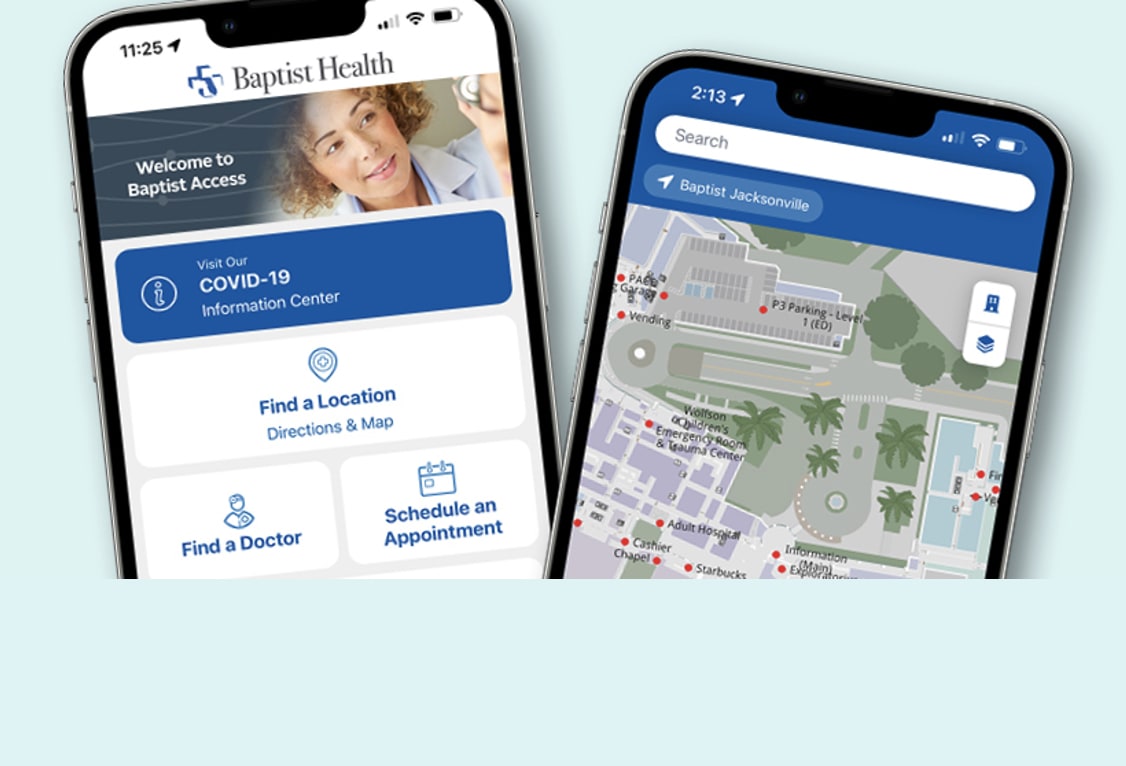
Use the Baptist Access app to navigate everything Baptist Health.
Download it for free today from your favorite app store.


MyChart app - Bedside
The Bedside function in the MyChart app allows you and your family to keep track of everything while you’re receiving care in the hospital or ER, including:
- Information about why you are here, your arrival time and clinical details
- A schedule of upcoming events like medication administrations and imaging appointments
- An introduction to your care team
- Test results
- Education assigned to you, like tips for managing your diagnosis or information about prescribed medications
To access MyChart Bedside:
- Download the MyChart app from the Apple App Store or Google Play Store.
- Once downloaded, search within the MyChart app for Baptist Health Northeast Florida and look for the Baptist Health logo.
- Click the logo to add Baptist Health to your MyChart app. If you already have a My Baptist Chart account, sign in.
- If you need to create a My Baptist Chart account, select sign up. You can create an account using an activation code or select “sign up using your information.”
Use MyChart Bedside while in the hospital.
Download it for free today from your favorite app store.